How To Make Christmas Kye
I remember a game vividly from when I was young. It came on a shareware CD, full of scraped together Christmas things. It was a kinda real-time puzzle game - you pushed things around, there were little systems operating you had to manipulate. Breakable bits that would let out pushers, cascading off the screen.
For this jam, I thought about recreating this game. Not because it's lost, but just to understand it better.
I'm not going to try to use the same tech they used. I am pretty sure this was done as a set of windows icons, moving across the screen. Probably in C++, a language I am no good at. But it's simple enough, so I'll try to recreate it in a simple way, and hopefully the grain of the tools I use will align enough with the grain of the tools they used to give something from the process.
So, I started. I considered using this as a learning opportunity to use Rust, but I don't have enough energy for that today. So let's stick with an environment I know pretty well, HTML5 and Javascript. There's something pretty raw and pure about writing stuff with JS, especially using the low level Canvas API. It's a flat array representing pixels, and you can write into it. The same setup that has existed since the Atari (uh, obviously some stuff has changed).
Kye has a screen full of blocks, each taking up a single space. Some move by themselves, one is the player. They can push into each other, they can move other blocks, they can change as the result of collisions... But still - let's think of it as a 2D grid of blocks, and all the info we have for each block is what type of thing it is. Then, every time we update it, we can go through the grid and update anything that has changed.
Can we just do that? We can't process the entire board all at once. Starting at the top left, scanning each row, we can process each block one by one. I implemented the player character. I implemented a few other blocks...
const TILE_EMPTY = 0;
const TILE_PLAYER = 1;
const TILE_PUSHABLE_LEFTIRGHT = 2;
The first bug I ran into was: if you move left, then the player moves fine. If you move right - the player disappears. Why is this? It was because if you moved right, the player block is now in a block that still has to be updated. And so when it updates, it moves right again - the right arrow key is still down!
I have fixed this by removing the ability to hold one direction to keep moving. I'll have to fix this to get the proper Kye feel... but right now, built in OS key-repeat is giving something approximating it.
I am wondering if I need to process certain types of blocks before other types of blocks. Maybe the player needs to move, and then everything else needs to move to adjust to that? It means going over the whole grid again and again... but computers are so fast these days. I check the performance stats, early as this is... yeah, everything is running fast enough not to worry.
Okay, rendering. I don't know if Kye uses windows icons, but I'm going to fallback on standard tilemaps. For development purposes, I start off with some coloured squares, because I can make those with pure code. I scatter some test blocks around...
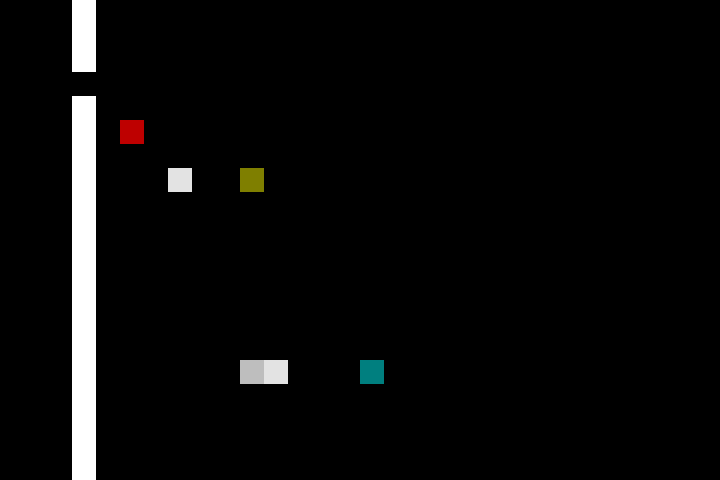
More blocks. I am not planning these, just recreating whatever comes to mind. But I have the image of some lecels, some feelings I want to recreate, clear in my head. Blockers that move only left and right. Or up and down. Breakable ice cube blocks, which you move into to break, then stand there, keeping a flow of pushers in place til you step aside.
const TILE_PUSHABLE_UPDOWN = 3;
const TILE_BLOCKER = 4;
const TILE_BREAKABLE = 5;
const TILE_MOVER_LEFT = 6;
const TILE_MOVER_RIGHT = 7;
const TILE_MOVER_UP = 8;
const TILE_MOVER_DOWN = 9;
const TILE_PUSHABLE_BOTHWAYS = 10;
I pause before I get to the blocks that rotate the blocks that move autonomously.
A thing I spend a little time on is: how do I structure the player moving into a block that should then move? None of these objects have any kind of essential object permanence. They exist while they in a particular place, but when they move they are destroyed and recreated. There's no essential reason for conservation of mass, for one player object to not suddenly become two, or five. We might be pushing things around, but we're working on the same essential basis as Conway's Game of Life, the same tech you might use for wiggly little simulated bateria colonies.
Okay, but back to the problem at hand. The player block tries to move left. Before we destroy them and create them again on the block to the left, we should check some things. Is there a BLOCKER there? if there is, don't let them move (this creates the illusion that there is something in the way). Is there a PUSHABLE_LEFTIRGHT [sic]? Then... well, it depends, doesn't it? If we're going to keep the illusion that the PUSHABLE has an independent existence then we can't just replace it with PLAYER. And it's a PUSHABLE_LEFTIRGHT, after all - it should look like it's been pushed. So, let's check the cell one further left... Okay, but what if that itself is a PUSHABLE_LEFTIRGHT? Do we keep checking until it resolves? That's not a hypothetical question - we can. Look at Puzzlescript for a system that is designed to handle just this kind of recursive checking of possibilities. But, while I don't know exactly how it works out, something tickles the back of my brain telling me that the way we're going, scanning top to bottom, left to right, will mess with this approach. What if we're pushing right, and something is due to move out the way - but we haven't looked at that bit yet?
But let's back off here. We have the freedom of not having to make this decisions based on what is most interesting, most rich, most correct resolution of these problems. I am trying to feel out the shapes of the game I played when I was small. And... I feel like it didn't tackle this precise problem in a especially robust way. Definitely breakable ice cubes couldn't be broken remotely. I have a feeling, too, that pushables couldn't push other pushables. And if they couldn't, I guess that this is the reason why. And thinking of the rich history of the Sokoban genre, with that one glowing constraint - you can push one crate, but not two - it feels like it came from this problem, too. (and again - this is solvable, this has been solved, many times over... but it's more work to solve it well)
            case TILE_PUSHABLE_LEFTIRGHT:
                if (delta.x !== 0) {
                    let beyondPushable = getTile(newLoc.x + delta.x, newLoc.y);
                    if (beyondPushable === TILE_EMPTY) {
                        setTile(newLoc.x + delta.x, newLoc.y, atNewLoc);
                        setTile(newLoc.x, newLoc.y, TILE_PLAYER);
                        setTile(x,y, TILE_EMPTY);
                    }
                }

            break;
Soon it'll be time to start making proper graphics, and loading them in. What's the appropriate image editing software for this? Paint would be ideal, but I am running on a Mac. Photoshop feels disrespectful to this goal. In the end, I am using something called Slate... it's in development, and you can feel that in a couple of ways... but it lets me set colours well enough. I am drawing directly onto a spritemap, counting out tiles manually. None of this code is using a library, but also none of it really needs one.
I do actually do one performance trick. I have written some utility functions for setting particular blocks - there's a tiny smidgen of maths and I don't want to do it every time. But rather than draw the whole screen out each time, I set a flag per tile, saying that it needs redrawing when I change it. Anything that happens per pixel is 256 times more expensive than anything that happens per tile, so it feels like it's worth it. And it's fun to apply this kind of low-level optimisation, which normally gets handled for me many layers of abstraction down. Although - I might be pushing around raw pixels, and calling functions in a straightforward manner - but Chrome is turning this into highly optimised graphics card operations, and churning all my functions into a mush and recombining them in real-time to make this run faster. The simplicity I am working with is so deceptive. I wonder how much this has changed since the Kye days.
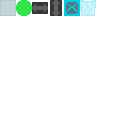
What ugly tiles I've made! But they work for now.
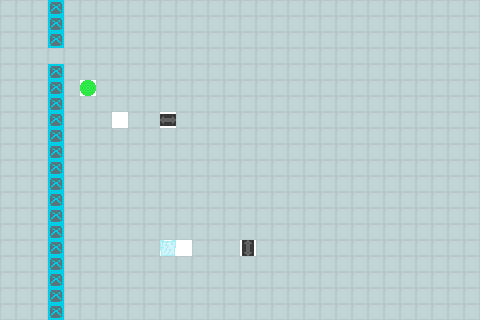
End of the first day. What's left to do? Better graphics, an attempt to recreate some of those sound effects (all I can really recall is a shattering sfx when the breakables went), more tile types (oooh, and getting the pushers to push past each other and pile up in those distinctive triangular cascades), the ability to load levels, and then I can recreate some levels, at least in spirit.
It's the next day. I start back on some art, trying to get tiles done for all the blocks I've implemented so far. I can't remember all the designs, but the feeling of beveled icons, shifting about... that I can replicate. And looking at a screenshot last night reminded me about the shape of the pushable things. Was there even a both-ways pushable thing? I am entirely blanking on the design, so maybe it doesn't exist. And what was the background like... Icy, sure... but how to make all the other bits of ice stand out?
(I found a bug that amuses me - because I don't check for reaching the edge of the screen, if you push something off the left, it comes back one row up. so I keep pushing a pusher through a gap and then it comes round and hits me again. This is the kind of joy I found in this game, this is the kind of joy I make games for)
I have been in a mood all of this evening, and detailing out these bevels, picking colours that are not ideal, but good as a first approximation... it's very soothing. Maybe if instead of poking at magic systems I had spent the time focused in on line and form, I would be an artist instead. Right now that seems like a soothing idea. But maybe I am always one to pick at things, to try to find the reasons and the underlying symmetries instead of having the patience to build something step by step every time. But, back to now -- I have graphics for the rotators, and for the presents you collect. Were there hazards? Enemies that chased you? I recall something like that - fires, maybe? But let's leave that to one side for now - there's one particular level I want to recreate the feeling of, and I only have a few more features to add before I'm there.
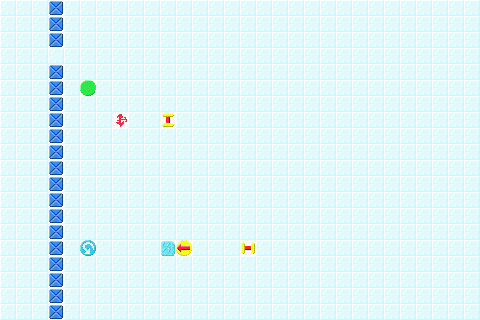
It works! The rotator works. The pusher goes pinging off into the top of the screen.
Incidentally, I always found the rotator icons confusing - which one goes which way. I think the variants I just drew are maybe a tad less confusing? But they're still bad. Authentically bad.

And I can load levels! Wow! Time to makes some!
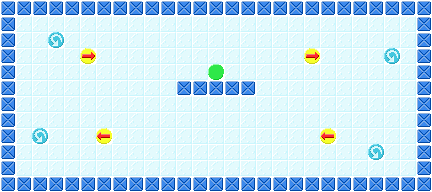
Oh, it's beautiful.
Look at them go!
Wait, one sec while I get something that lets me capture gifs...
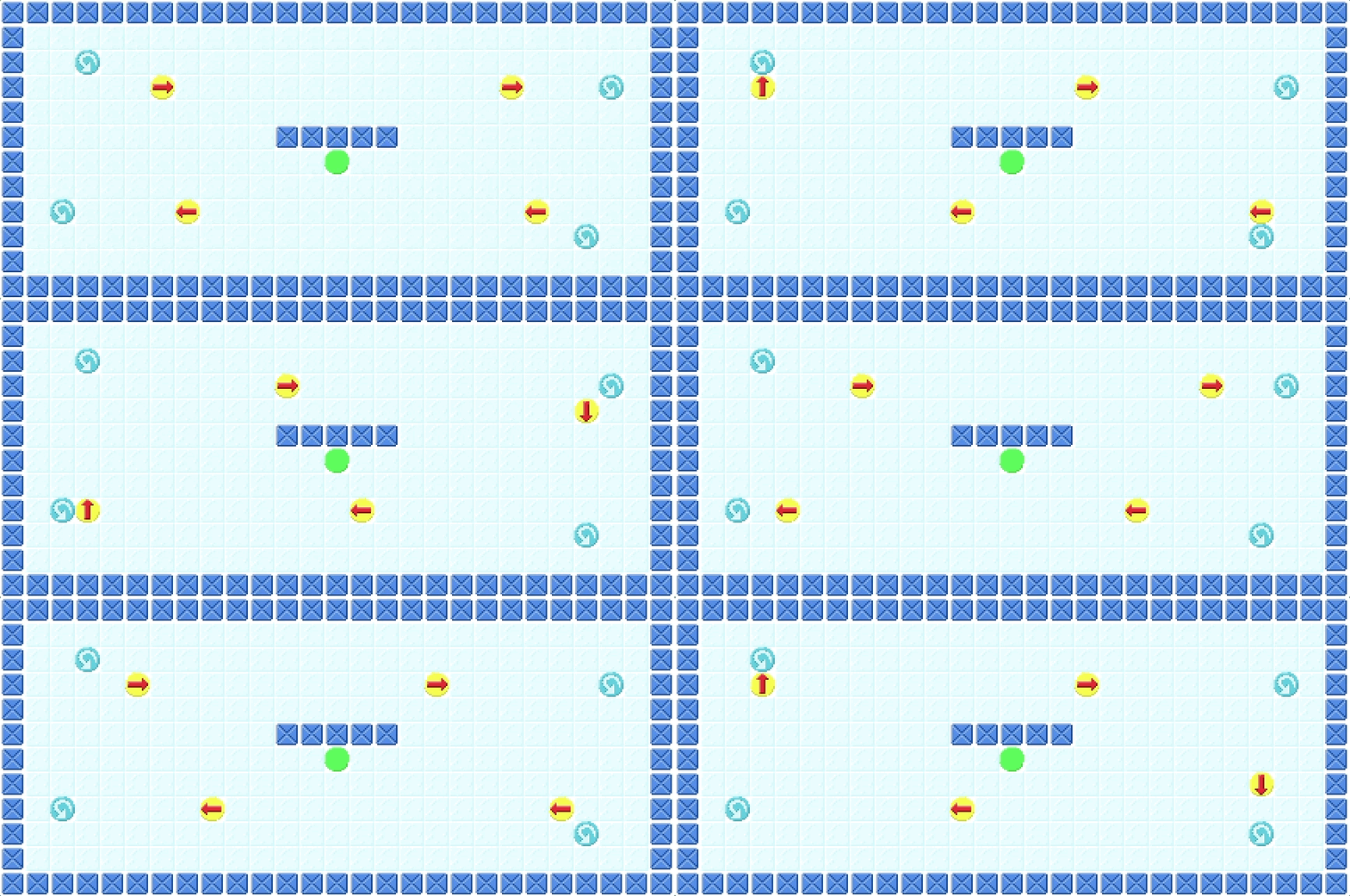
Honestly, I'm not sure where to go from here. This is what I remember - oh, there was a whole level here, stuff you had to do, you had to destroy it in a satisfying way and get to the present and so on... but this working, this being breakable... this is one of the things I strongly remember. And here it is.
Link on itch to the playable version
Link to the source code
The version I made has lots of obvious bugs, and doesn't even have a complete level, just a very basic tech demo. I thought about expanding it, and continuing it - the bugs are all fixable, there are other levels I remember...
But I think I should leave it here. There are new games to be made, games that take the curiosity I had with this game and bring them forward, games that hopefully drive the same feeling for others. It's nice to have a deeper insight for what made Kye work under the surface, and I hope some of that has been communicated through these notes.
Here's the original level:
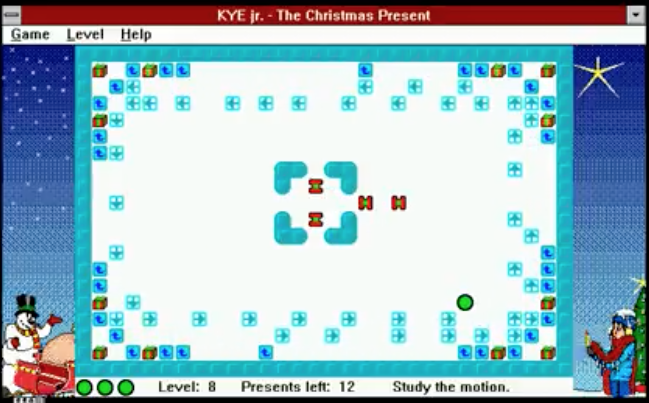
(screenshot from https://www.youtube.com/watch?v=UbweEEbRqnQ
Comments: